
Introducing the CarmelBuzz Map: Build Your Own Buzz, Then Share It (or Print It)
Published August 19, 2026
You know the feeling. It's Thursday, four people are coming into Midtown, and somebody asks the question that ruins every group chat: "So where are we going?" Somebody wants trivia. Somebody wants a good old fashioned. Somebody just wants coffee first. And now you're screenshotting three different websites trying to figure out what's actually walkable from what.
That's what the new CarmelBuzz Map is for. Pick what you're in the mood for, and it puts every matching Midtown spot on one map. Then you copy the link and drop it in the group chat, and the argument is over.
First, Find It
There's a new icon in the CarmelBuzz menu bar — a little map logo sitting alongside Home, Drink, Music, Blog, Events, and Shop.
Tap it from anywhere on the site and you land on the map page.
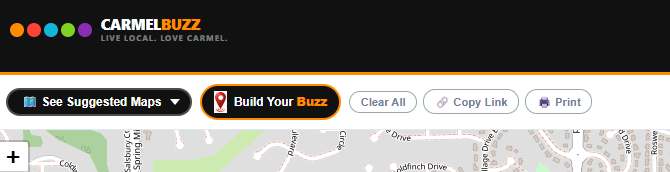
The Lazy Way: Suggested Maps
If you don't want to think about it, don't. Hit See Suggested Maps and you get a row of pre–built maps ready to go:
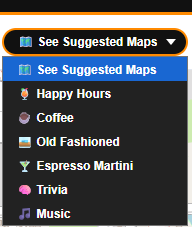
Happy Hours. Coffee. Old Fashioned. Espresso Martini. Trivia. Music. One tap, and the map fills in. These are the same categories we've been writing about for months, except now you get to see them spread across Midtown instead of scrolling a list.
Here's the Espresso Martini map, which is either a helpful planning tool or an enabling device depending on your Friday:
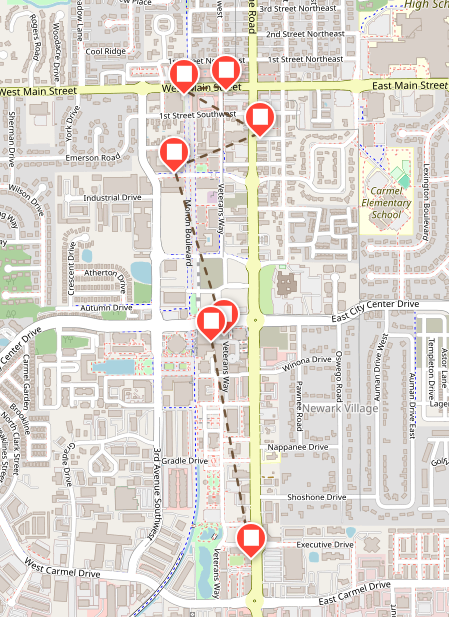
(If you want the full rundown behind that one, we already wrote the espresso martini guide.)
Build Your Own Buzz
Now the fun part. Tap Build Your Buzz and a pop–up window opens with every category you can mix and match:
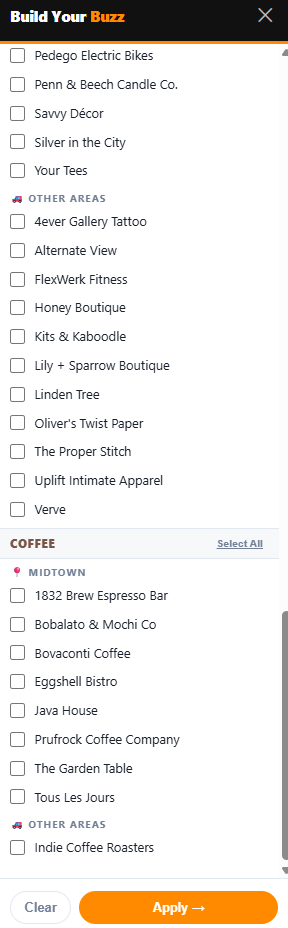
Five categories: Happy Hours, Music, Trivia, Shopping, and Coffee. Check as many as you want. Want a night that's just Trivia + Happy Hours? Done. Planning a Saturday that starts with Coffee, wanders through Shopping, and lands somewhere with Music? Check all three and watch the whole day show up on one screen.
The specialty maps — Old Fashioned, Espresso Martini — live over on the suggested side for now, so grab those from the Suggested Maps row.
Change your mind halfway through? Clear All wipes the slate. When you're happy with it, hit Apply and the map redraws with exactly your selections.
Copy the Link. Or Print It.
Two buttons make this actually useful instead of just fun.
Copy Link grabs a URL of your custom map — every filter you picked, baked right into the link. Text it, email it, post it to the neighborhood Facebook group. Whoever opens it sees the same map you built, no setup required.
Print does what it says. And yes, this one's for you, Dad. If your idea of planning a night out involves a piece of paper in your shirt pocket, print it straight to your printer or save it as a PDF. Zero judgment here — a printed map doesn't die at 8% battery outside Muldoon's.
Go Build One
Head to carmelbuzz.com/map, tap a suggested map to see how it works, then build your own and send it to somebody. We'll keep adding categories as we cover more of Midtown — patios, brunch, and wine are all on the list — so check back as the map fills in.
And if there's a category you want to see on there, tell us. That's how the last few got added.
Map features and category names accurate as of August 2026 at carmelbuzz.com/map. Screenshots taken from the live site.
 Shop
Shop Blog
Blog Live Music
 Trivia
 Local Sports Teams
 About
About